Add or edit DNS records (A, CNAME, MX, TXT)
Manage DNS for your domain — for site pointing, Google verification, or third-party email.
Last updated
When your domain uses our nameservers, edit DNS from Dashboard → your domain → DNS (or the DNS tab of your hosting service). Common records:
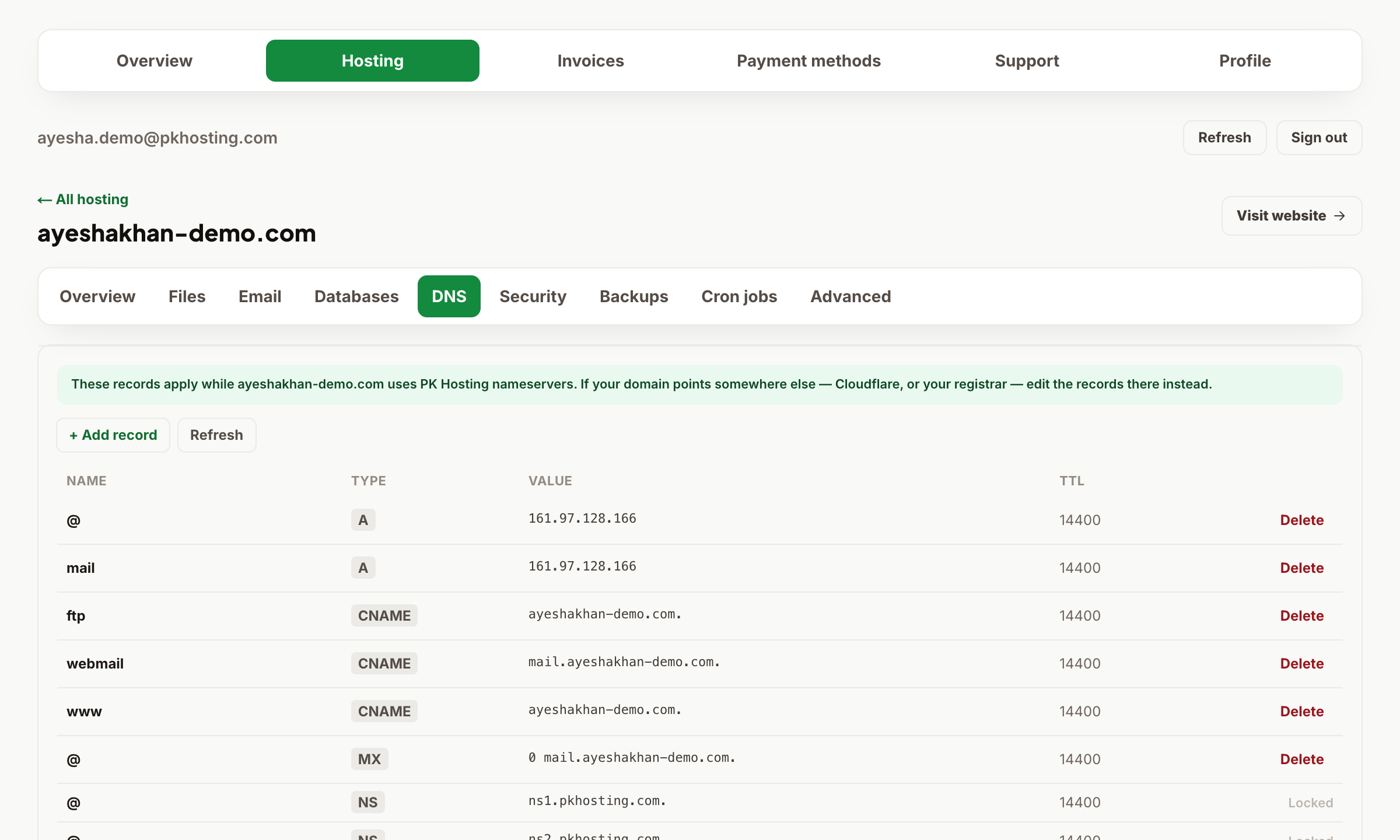
- A — points a name to an IPv4 address. Use
@for the root domain andwwwfor the www version, pointing to your server IP. - CNAME — aliases one name to another (e.g.
blog→yourdomain.com). Never put a CNAME on the root@. - MX — where email is delivered. For our mail keep the default; for Google Workspace/Microsoft 365 replace with their MX values.
- TXT — verification and email security (Google site verification, SPF, DKIM, DMARC).
DNS edits propagate within minutes to a few hours. If you're verifying a service (e.g. Google), add the exact TXT value they give you to the @ host and wait a few minutes before clicking verify.
Still need a hand?
Open a ticket from your dashboard with your domain and a screenshot — our team replies fast.